Type less.
Reply faster.
Save the replies you write over and over. Type a short shortcut like ;refund anywhere and Snipwise writes the full, personalised message.
Three steps. One minute.
No account, no setup wizard. Install it, pick some templates and start typing.
Add Snipwise
It opens with a few starter snippets so you can try it straight away.
Pick a template pack
Ready-made replies for support, sales, recruiting or everyday use. Edit them to sound like you.
Type a shortcut
In any text box, the shortcut becomes the full reply. Ctrl+Z undoes it.
Templates that fill themselves in
Built for people who answer the same questions all day: support agents, recruiters, salespeople and founders.
Fill-in templates
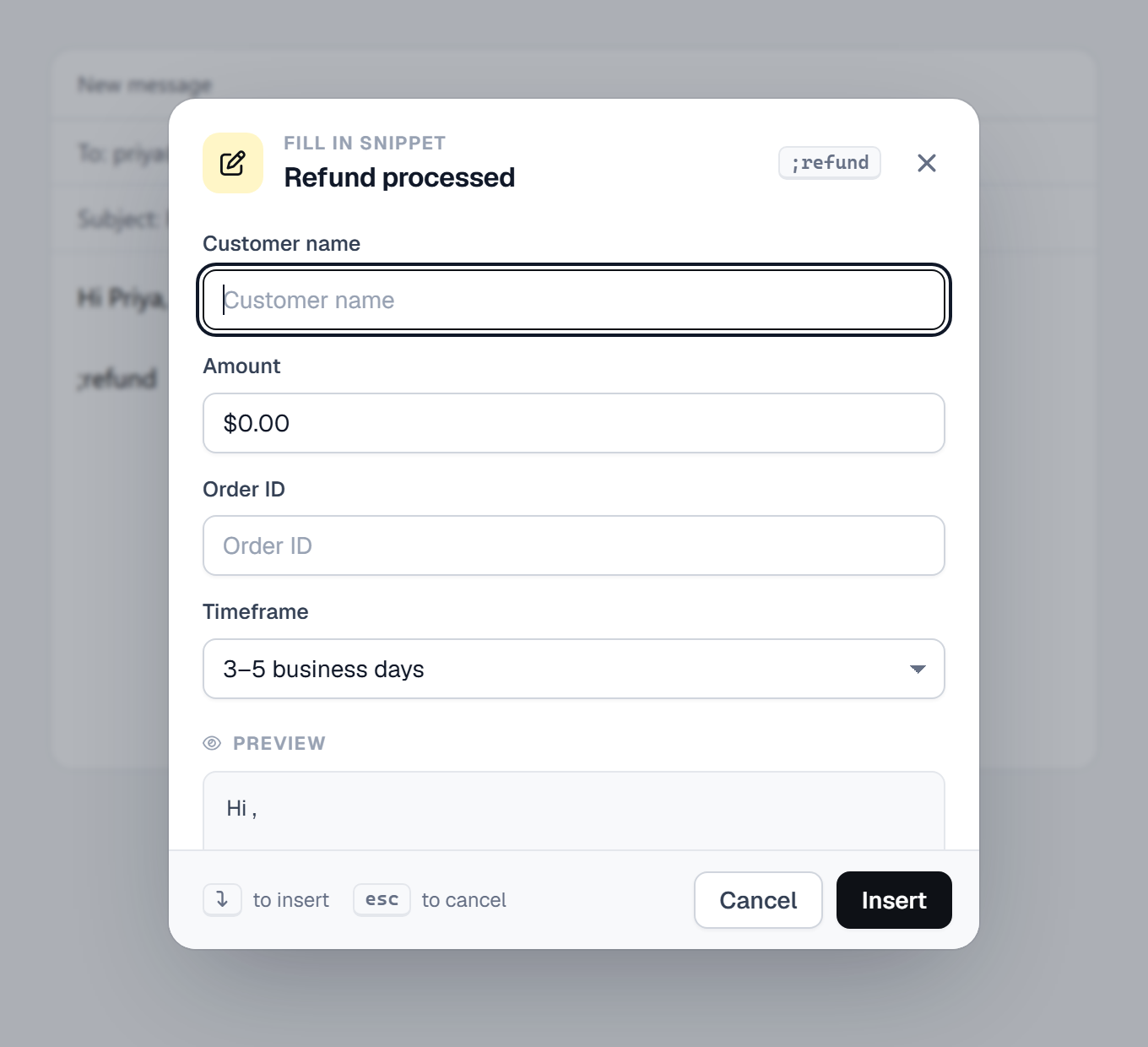
Ask for a name, an amount or a choice before inserting, with a live preview. Dates, your clipboard and your details fill themselves.
Search palette
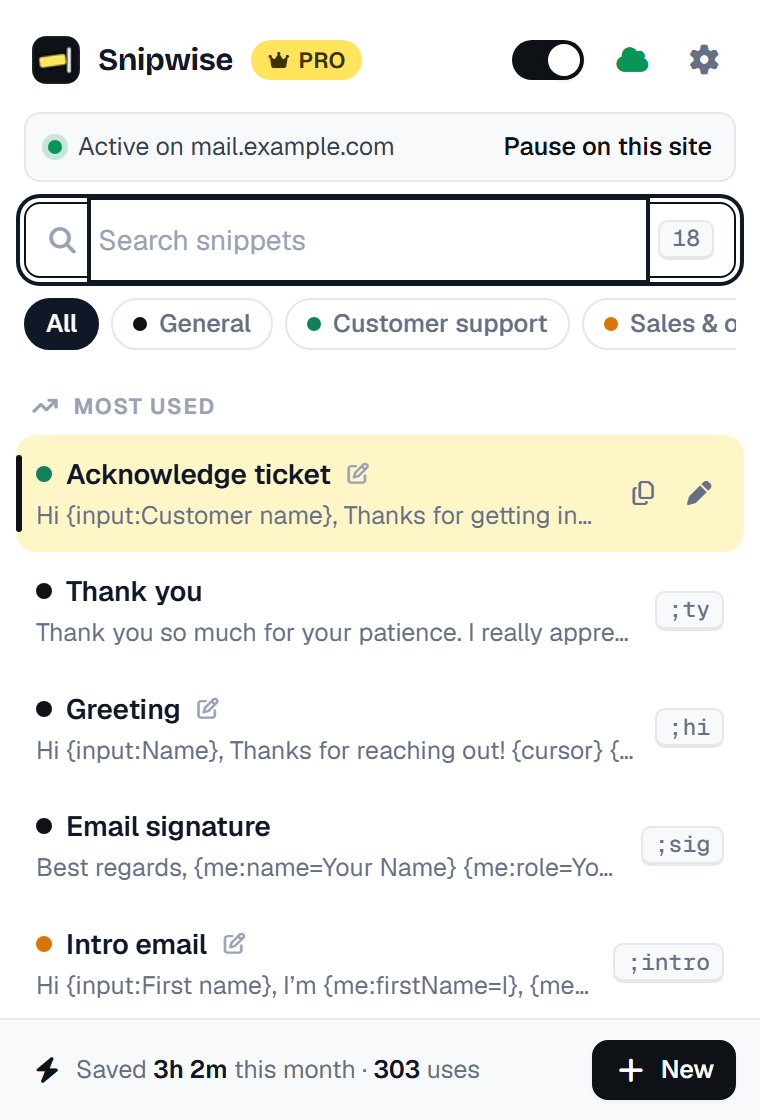
Press Ctrl Shift Space on any page to find and insert any snippet.
Rich text
Bold, links and lists that keep their formatting in Gmail and help desks.
Sync with your own Drive
Every computer, through a private app folder in your own Google Drive. Never our servers.
Optional sections
Tick parts on or off as you use a snippet, like an apology or a discount code.
Site rules
Keep support macros to your help desk and sales emails to Gmail, so the right shortcuts work in the right place.
Backups and undo
Daily automatic backups you can restore in one click, and Undo on every delete.
A manager that stays out of your way
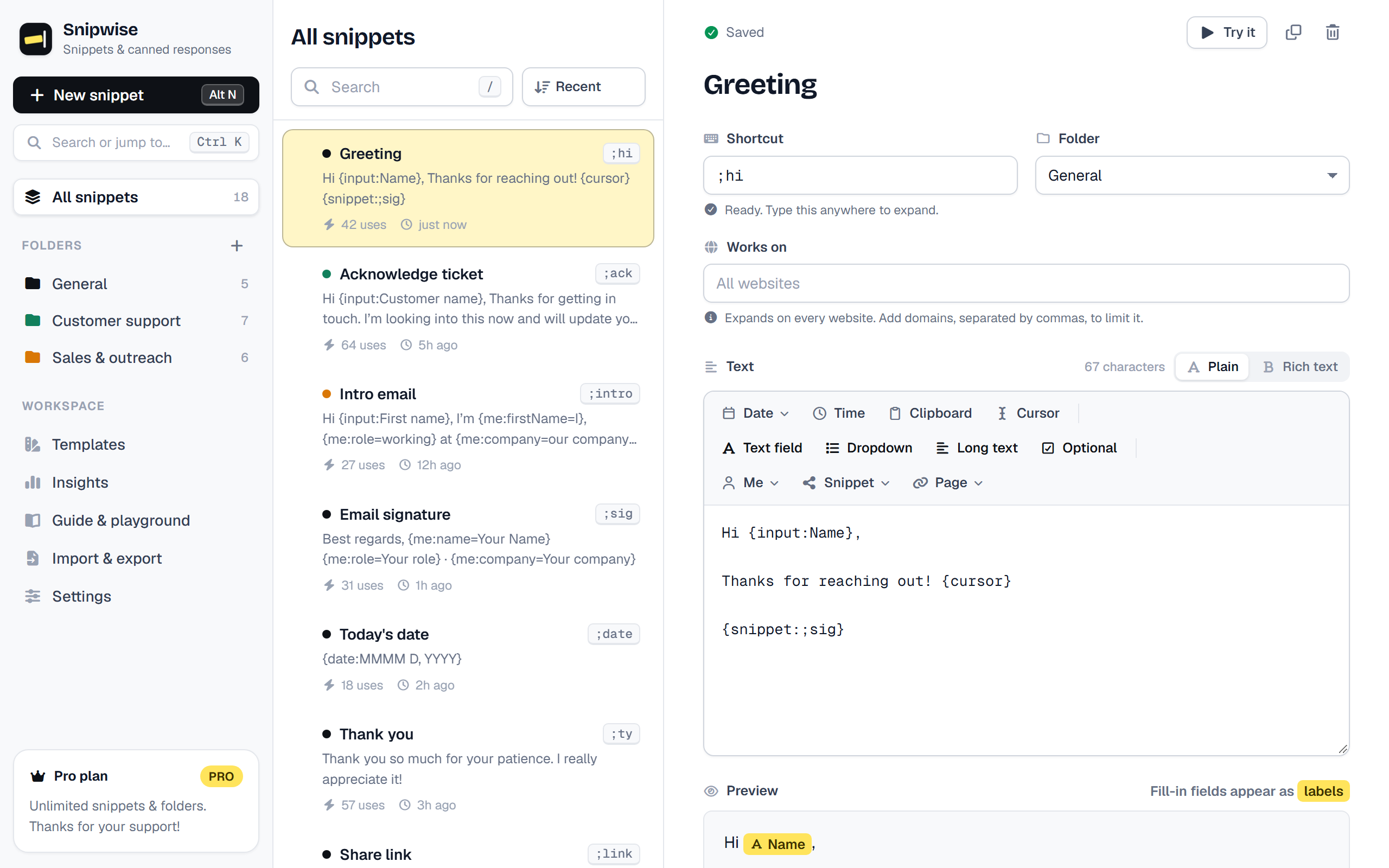
Folders, a live preview, keyboard shortcuts everywhere and a popup one click away.
Start with replies that already work
Add a pack in one click inside Snipwise, or copy any of these right now.
Hi {input:Customer name},

Thanks for getting in touch. I’m looking into this now and will update you within {select:Response time=24 hours|2 hours|1 business day}.

{snippet:;sig}
Hi {input:Customer name},

I’ve processed a refund of {input:Amount=$0.00} for order #{input:Order ID}. You should see it on your statement within {select:Timeframe=3–5 business days|5–7 business days|1–2 weeks}.

Is there anything else I can help with?
I’m really sorry for the delay. I’ve checked with our team and your order is now expected on {date+2d:dddd, MMM D}. {cursor}
Thanks for your patience. I’ve escalated this to our {select:Team=technical team|billing team|shipping team}, who will reply directly within {input:Timeframe=one business day}. Your reference is #{input:Ticket ID}.
To reset your password:
1. Go to {input:Login page=https://example.com/login}
2. Click “Forgot password”
3. Enter the email on your account and follow the link we send you

The link expires after 1 hour.I’m glad that’s sorted! I’ll close this ticket for now, but just reply here if anything else comes up.
Have a great {day}!If you have a moment, we’d love to hear how we did. It only takes 30 seconds: {input:Survey link}Hi {input:First name}, I’m {me:firstName=I}, {me:role=working} at {me:company=our company}. We help {input:Their kind of company=teams like yours} {input:Outcome=save hours every week}. Would a quick 15-minute call next week be useful? {snippet:;sig}
Hi {input:First name}, just bubbling this up in case it got buried. Happy to share a quick overview whenever suits you.Great! You can grab any time that suits you here: {me:website=[booking link]}
Looking forward to it.Great speaking with you today, {input:First name}! As discussed, next steps: • {cursor} Let’s reconnect on {date+7d:dddd, MMM D}.
Our plans start at {input:Starting price=$X/month}, and every plan includes {input:Key features}. I can put together a custom quote if you share your team size.
Hi {input:First name}, I haven’t heard back so I’ll assume the timing isn’t right. I’ll close my notes for now. If anything changes, just reply to this email.Hi {input:Candidate first name}, Your experience in {input:Their field} caught my eye. We’re hiring a {input:Role} at {me:company=our company} and I think you’d be a great fit. Open to a short chat this week? {snippet:;sig}
Hi {input:Candidate first name},

Thanks for applying for the {input:Role} role! We’d love to invite you to a {select:Format=30-minute video call|phone screen|on-site interview}. Please pick a time here: {me:website=[booking link]}
Hi {input:Candidate first name},

Thank you for your time and interest in the {input:Role} role. After careful consideration, we’ve decided to move forward with other candidates. We were impressed by your background and will keep your details for future openings.

Wishing you all the best.
Hi {input:Candidate first name},

I’m delighted to offer you the {input:Role} position at {me:company=our company}! You’ll find the full offer attached. Please let me know if you have any questions. We’d love to have you start on {input:Start date}.
Could you share the names and contact details of two professional references? A recent manager would be ideal.
{me:email=you@example.com}{me:phone=+000 000 000}{me:address=Your address}Here’s my calendar, so pick any time that works for you: {me:website=[booking link]}Thanks for your message! I’m away until {date+7d:dddd, MMMM D} with limited access to email. For anything urgent, please contact {input:Backup contact}.
¯\_(ツ)_/¯
How much typing would you get back?
Move the sliders to match your week.
of typing saved a year
until Pro yearly pays for itself
Assumes typing at 40 words a minute and 230 working days a year. Your results will vary.
Your replies are yours
Snippets often contain customer details, prices and personal information. Snipwise keeps them away from everyone, including us.
Read the privacy policy- Stored in your browserWe have no servers that hold your snippets.
- Sync that stays yours SoonWhen sync arrives, it uses a hidden app folder in your own Google Drive that can’t see your other files.
- No trackingNo analytics, ads or third-party scripts, in the extension or on this site.
- Reads only what it needsA few characters before your cursor to spot shortcuts. Password fields are always skipped.
Small tool. Big difference.
Most text expanders want an account, keep your replies on their servers and charge per seat. Snipwise doesn’t.
No sign-up, no onboarding call. Install, pick a template pack, type.
Customer details in your snippets never touch our servers. We don’t have any.
Fill-in forms, dates, clipboard and template packs aren’t locked behind Pro.
Pro is $2.99 a month, billed yearly. No seats, no tiers, no upsell maze.
 SnipwiseTypical text expander
“Typical” describes common setups among popular text expanders. Features and plans vary by product.
Free to start. Pro when you’re hooked.
Try every Pro feature free for 7 days, no card needed. Cancel any time.
- Up to 20 snippets and 3 folders
- Fill-in fields, dates and clipboard
- Search palette and toolbar popup
- Template packs and “About me” fields
- Daily backups and export
- Unlimited snippets and folders
- Sync across computers with Google Drive Soon
- Rich text: bold, links and lists
- Optional sections and site rules
- CSV import, full insights and priority support
These are the launch prices. Checkout opens the day Snipwise lands on the Chrome Web Store.
Secure checkout by Dodo Payments, merchant of record. 14-day refund policy.
Which browsers does Snipwise work in?
Google Chrome, Microsoft Edge, Brave and other Chromium-based browsers on Windows, macOS, Linux and ChromeOS. Firefox and Safari aren’t supported yet.
Does it work in Gmail, Zendesk and Google Docs?
It works in almost every text box: Gmail, Outlook on the web, Zendesk, Intercom, Freshdesk, HubSpot, LinkedIn, Slack and normal web forms. Google Docs and Sheets draw text their own way, so shortcuts can’t expand there; use the search palette to copy a snippet and paste it instead.
Can you see my snippets?
No. They’re stored in your browser. We don’t run servers that hold your snippets, and there’s no tracking. Sync, coming soon, will use a private app folder in your own Google Drive, never our servers.
What happens if I stop paying for Pro?
Nothing is deleted and every snippet keeps expanding. You just can’t add more than the free limit until you resubscribe.
How do I use Pro on another computer?
After you buy, you get a license key by email. On the other computer open Snipwise → Upgrade to Pro → “Have a license key? Activate it”. One key works on up to 3 browsers.
How do refunds work?
Cancel any time from your receipt email and keep Pro until the end of the period you paid for. If Pro isn’t right for you, email us within 14 days of a charge for a full refund.
Who handles payments?
Dodo Payments processes payments as the merchant of record, so it also handles sales tax and VAT and sends your receipts. We never see your card details.
Stop retyping. Start Snipwise.
Snipwise is landing on the Chrome Web Store soon. Join the waitlist and be first in line.
One email on launch day, with early-bird pricing: $1.99/month for life for the first 100 Pro members. No spam, unsubscribe any time.